How to Customize Keybindings
Rebind any of StringLane's in-app keyboard shortcuts from Settings → Keybindings. Export / import JSON to share setups across machines.
Any of the nine in-app shortcuts — open command palette, focus search, switch to grid view, switch to list view, toggle sidebar, toggle issues panel, toggle issues filter, show shortcuts, translate all — can be rebound to a chord that works for you. Overrides persist across launches.
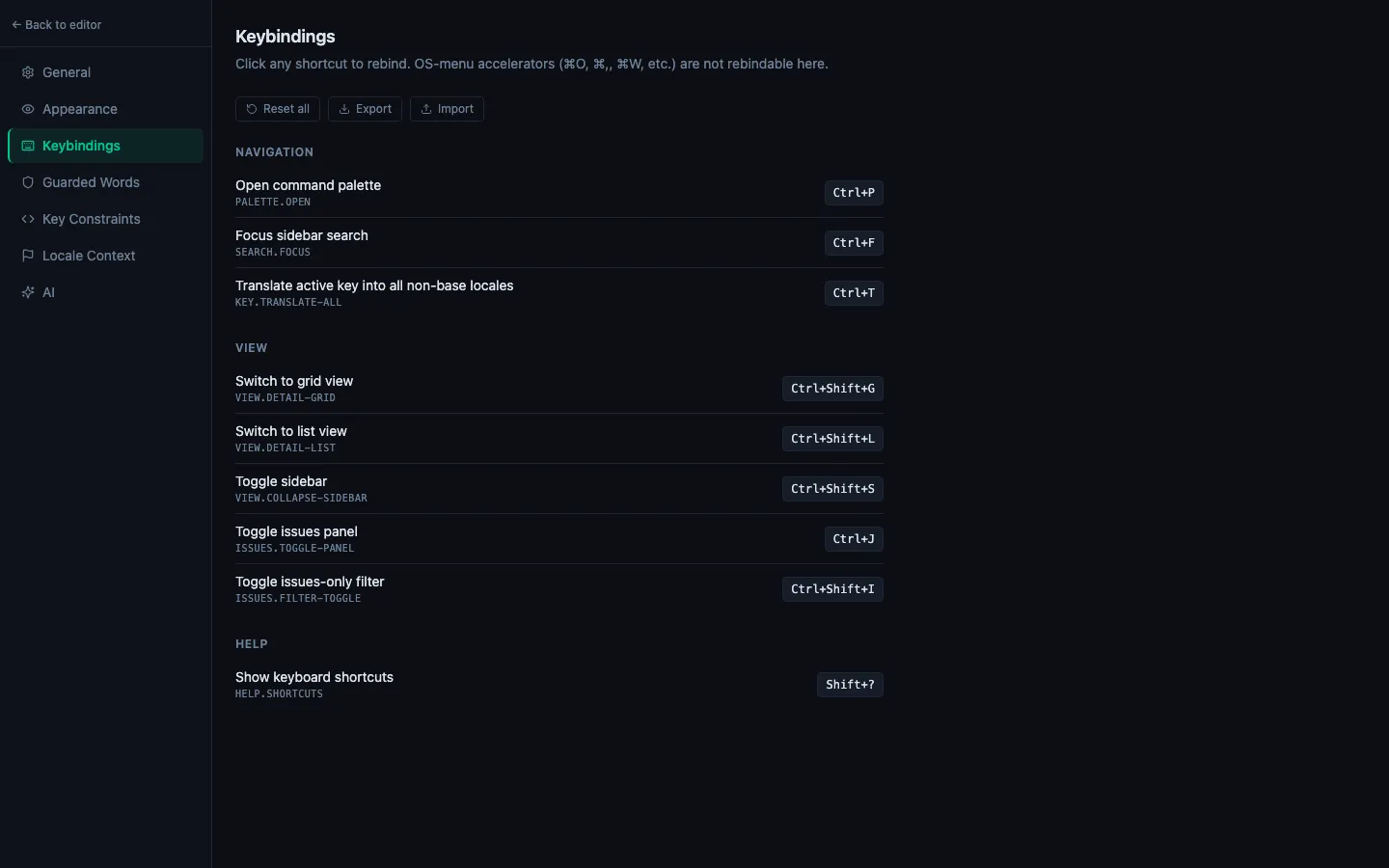
Rebindable commands
| Command | Default |
|---|---|
| Open command palette | ⌘P / Ctrl+P |
| Focus sidebar search | ⌘F / Ctrl+F |
| Switch to grid view | ⌘⇧G / Ctrl+Shift+G |
| Switch to list view | ⌘⇧L / Ctrl+Shift+L |
| Toggle sidebar | ⌘⇧S / Ctrl+Shift+S |
| Toggle issues panel | ⌘J / Ctrl+J |
| Toggle issues-only filter | ⌘⇧I / Ctrl+Shift+I |
| Show keyboard shortcuts | ? |
| Translate active key into all non-base locales | ⌘T / Ctrl+T |
Out of scope:
- OS menu accelerators — ⌘O, ⌘W, ⌘Q, ⌘,, ⌘N live in the macOS app menu and aren't rebindable here.
- Text-editor chords — ⌘Z (undo), ⌘I (ICU editor) inside an active cell follow your platform's convention.
- Multi-chord sequences — only single chords are supported.
Rebinding a shortcut
- Settings → Keybindings.
- Click the chord pill next to the command you want to rebind. The row swaps to "Press a shortcut…".
- Press your preferred chord — any combination of ⌘ / Ctrl / Shift / Alt plus one primary key.
- The row flips back to a chord pill showing your new binding. Changes are saved immediately.
Press Escape during capture to cancel without clearing the existing override. Modifier-only keys (just Shift, Alt, etc.) are ignored — the widget waits for a real chord.
Resetting
- Per-row ↺ button appears on any row with an override — click it to return that row to the default.
- Reset all at the top of the tab wipes every override at once.
Conflict warnings
If you bind two commands to the same chord, each affected row shows an amber warning listing the conflicting commands. Both handlers will still fire on the chord (order undefined), so you'll want to pick one or retune one of them.
Export / Import
- Export downloads
stringlane-keybindings-YYYY-MM-DD.json— just your overrides, not the defaults. - Import accepts a previously-exported JSON and applies it. The summary line tells you how many entries were accepted and how many were skipped (unknown command ids or malformed chords are silently dropped).
Useful for syncing the same setup across machines, or for sharing your preferred bindings with a teammate. Since chords are stored in their strict form (meta+p, not the platform-agnostic mod+p), a macOS export + Windows import will keep the chord exactly as you set it — adjust per platform or stick with mod in hand-written JSON if you want it to adapt.
Live updates everywhere
Rebindings take effect the moment you set them:
- The keyboard shortcuts dialog (
?) shows your overrides under the "In-app (rebindable in Settings → Keybindings)" section. - Buttons that mention shortcuts (e.g. the ✨ Translate all button's
⌘Thint) update to the new chord. - The command palette footer, when a command has a shortcut, picks up the new binding.