How to Fix Issues with AI
Repair ICU syntax errors, missing plural categories, and placeholder mismatches without retranslating — per row or across the project.
The AI Issue Fixer corrects structural problems in your translations — broken ICU syntax, missing plural categories, mismatched {placeholder} names — while preserving your translated text. It's the right tool when a translation is almost right but won't compile or pass validation.
When it shows up
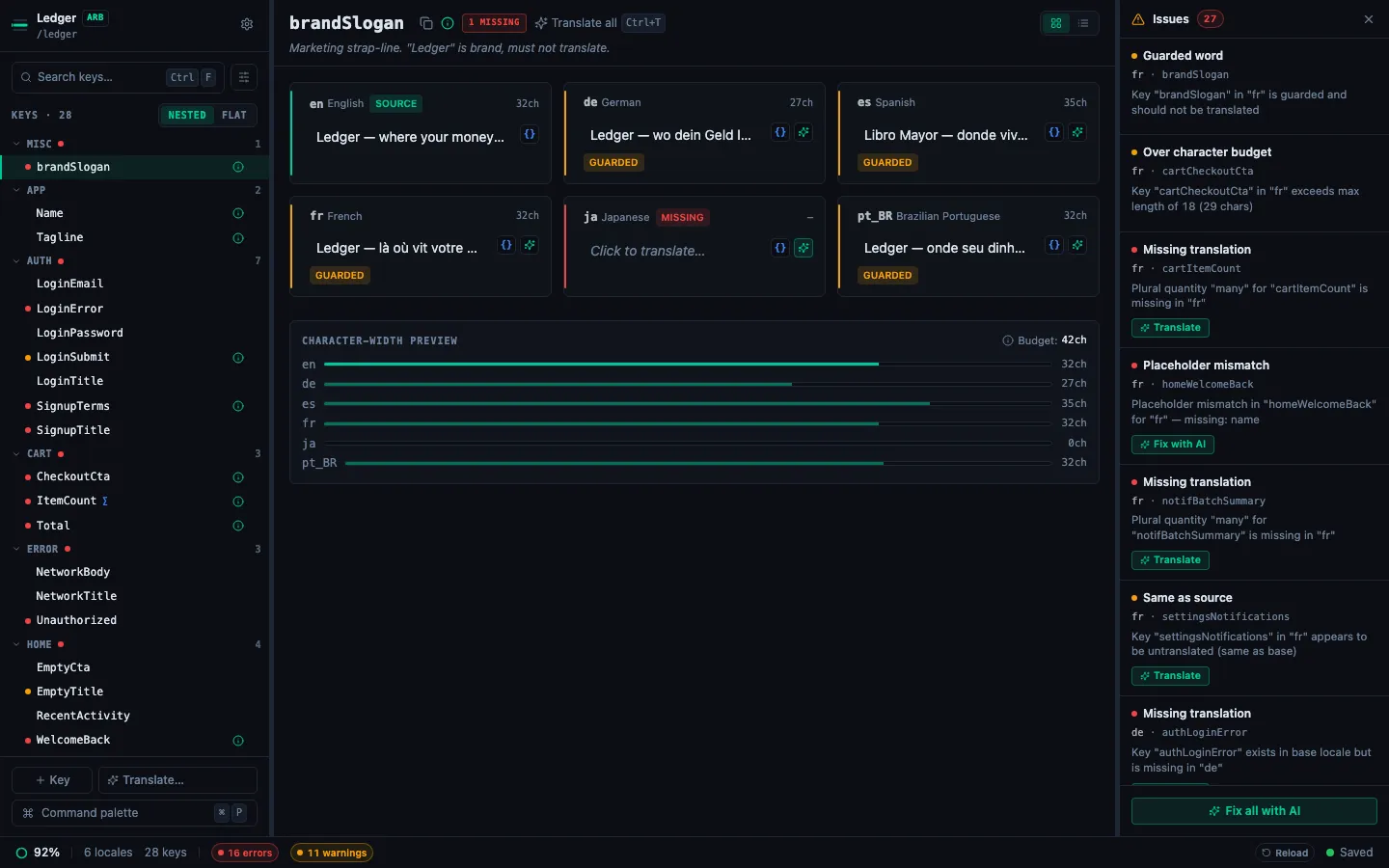
A Fix with AI button appears on any row in the Issues Panel where the issue is structural:
| Issue | What it means | Fix-with-AI does |
|---|---|---|
| ICU parse error | Unclosed brace, malformed plural/select clause | Repairs the syntax |
| Missing plural category | A required CLDR category is absent (e.g. other) | Adds the missing category, fills its text |
| Placeholder mismatch | Base has {name}, translation has {username} or nothing | Restores the correct placeholder name and position |
| Format placeholder mismatch | iOS %@ / Android %s / %1$d mismatch | Restores the correct specifier |
| Malformed placeholder | Unclosed {name | Closes the brace |
Missing translations and same-as-source warnings have a separate ✨ Auto-translate button — those flows do retranslate.
Per-row fix
Open the Issues Panel (⌘J), find the row, click Fix with AI on it.
- A spinner replaces the button.
- The AI returns either a fixed value (applied immediately, auto-saved) or a
cannotFixreason (shown inline next to the row). - The cell rail in the detail pane recomputes — usually the issue clears, the badge disappears, and the next row in the panel becomes selectable.
Fix all with AI
The Issues Panel footer shows Fix all with AI whenever there's at least one AI-addressable row. Clicking it:
- Phase 1 — runs deterministic autofix on placeholder and malformed-placeholder rows (no AI call needed).
- Phase 2 — buckets remaining issues by
(locale, code-class). Each bucket dispatches a single bulk AI call (up to 20 items per call), so a project with 60 ICU errors across three locales does ~3 calls instead of 60. - Phase 3 — applies fixes as they arrive; failed buckets surface their error in the summary but don't stop other buckets.
Cancel between buckets keeps everything written so far.
What "preserves your translation" means
Fix-with-AI is given the translation as input, not regenerated. The prompt asks the model to keep the user's text and only correct the structure. In practice:
- An ICU plural with
other {Готово}and a malformedonereturns withГотовоintact. - A placeholder swap from
{name}to{username}puts your translated sentence back together with{name}in the right position. - A missing
othercategory gets a freshly-translated default — rare, but the only structural fix that does need new content.
If preserving content is not possible (rare — usually a catastrophic parse failure), the row reports a cannotFix reason instead of writing junk.
Configure the provider
Fix-with-AI uses the same provider configured in Settings → AI as the rest of the AI flows. Cloud (OpenAI, Anthropic, Gemini, Groq, Mistral, DeepSeek, xAI) and Local LLM all work; pick whichever matches your privacy and cost requirements.
Related
- How to Use the Issues Panel — where Fix-with-AI lives.
- How to Read Validation Badges — what each issue type means.
- Working with ICU Plurals and Select Forms — the most common source of fixable issues.
- How to Translate with a Local LLM — run Fix-with-AI fully offline.