How to Translate All Missing Cells at Once
Fill every gap across every non-base locale in one pass. Palette-driven, progress-tracked, cancellable.
When your project has gaps in multiple locales and you don't want to click ✨ on every row, run Translate all missing with AI from the command palette. One pass fills every empty or copy-paste cell across every non-base locale.
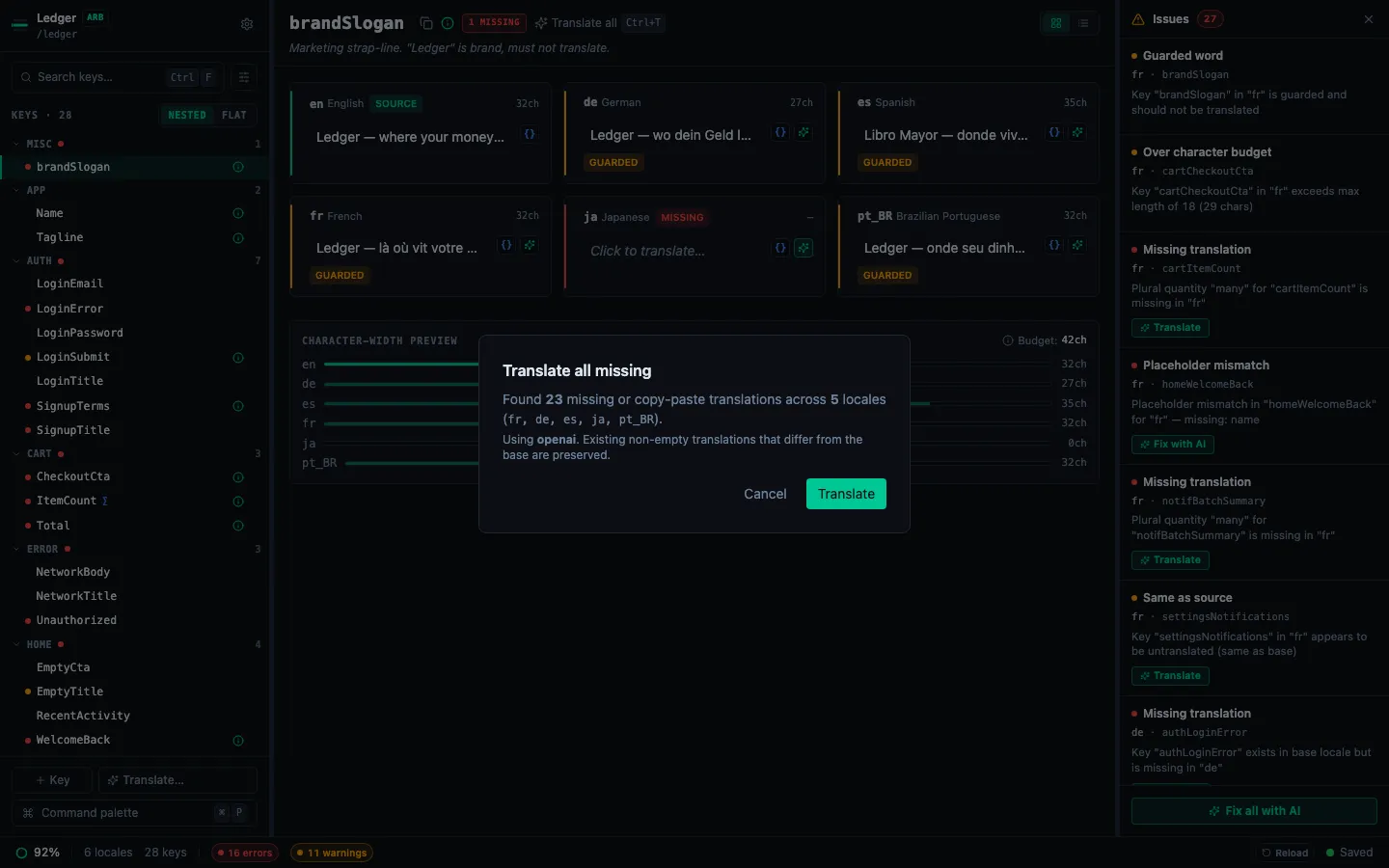
Opening the dialog
- Press ⌘P to open the command palette.
- Pick Translate all missing with AI (or type
translateto filter). - The dialog computes what's missing:
- Cells where the target locale value is absent, empty, or exactly equal to the base locale value (indicating an untranslated copy-paste).
- Plural keys are excluded — for those use each locale's ✨ AI translate button on the plural panel.
Phases
- Checking — verifying your API key is available.
- Empty — if nothing's missing, the dialog shows "All locales up to date" + Dismiss.
- No key — if no API key is configured for the provider, routes you to Settings → AI.
- Confirm — total count + the first five locales involved (or the first five plus "…and N more"). Click Translate to start.
- Translating — progress bar with running count ("N / M across K locales") + the locale currently being processed. Cancel is available between chunks.
- Done — summary:
Translated N of M keys. K error(s).plus the last error message if any chunk failed.
What happens under the hood
- Iterates locales sequentially (respects rate limits) and calls
translateKeysBatchper locale. - Each successful translation is applied via the normal auto-save path — writes hit your source files with the same format-preserving behaviour as manual edits.
- Canceling between chunks keeps every result written so far. You can always re-run the command to pick up the remaining gaps.
- Failed chunks surface their error messages in the summary so you can retry.
Related
- Set up AI translation — prerequisite (BYOK provider + API key).
- Translate individual keys — the per-cell ✨ flow, still useful for one-off edits.
- Bulk translate a locale — focused single-locale bulk flow via the toolbar Translate… menu.