How to Fix Placeholder Mismatches
Understand and resolve the Param validation badge — when a placeholder like {name} or %@ is missing or wrong in a translation.
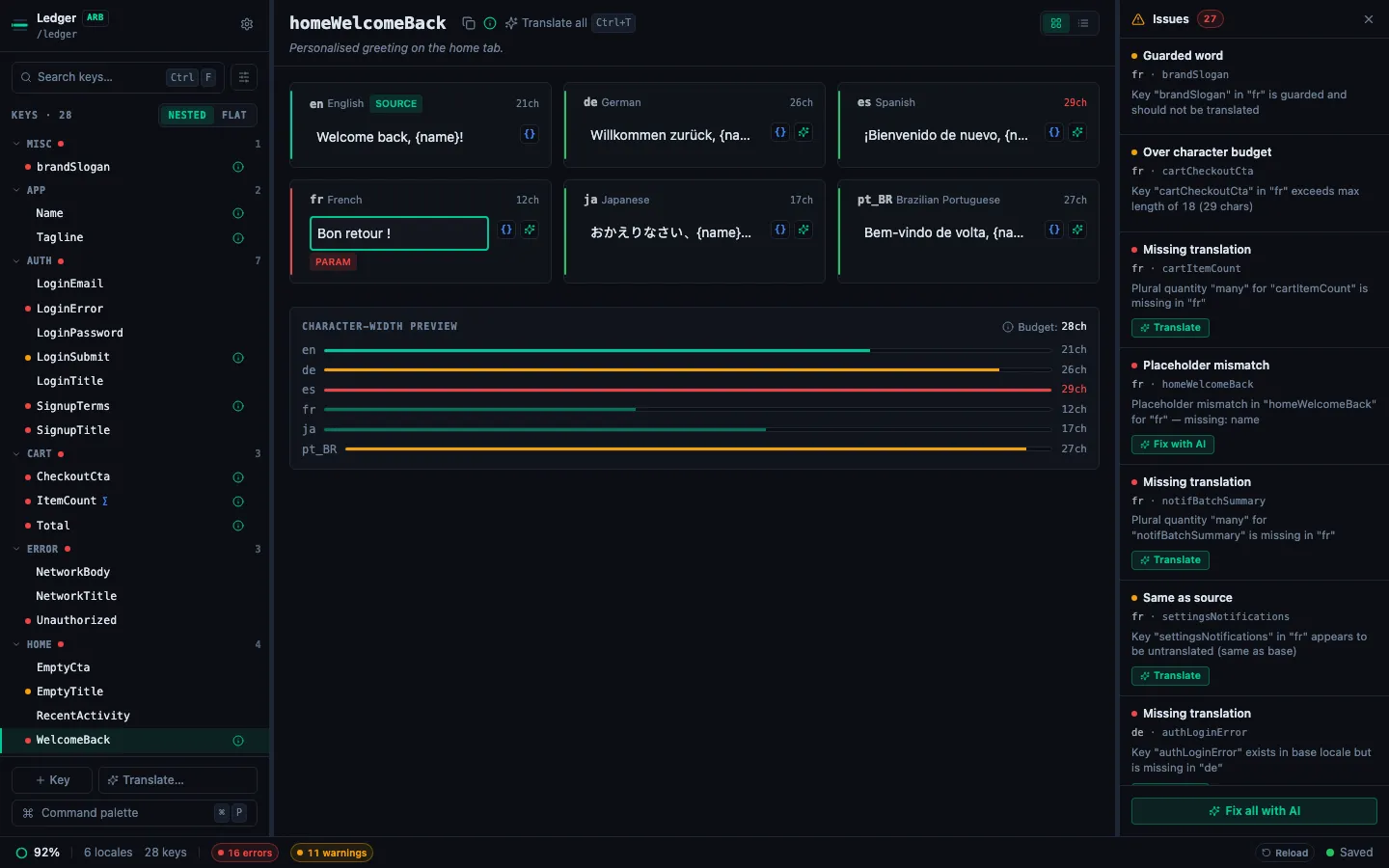
A Param badge (red) appears when a placeholder in the base locale doesn't match what's in the target translation. This is a hard error — at runtime, a missing placeholder means the variable value is silently dropped from the displayed string.
What counts as a placeholder
StringLane treats these as placeholders, depending on your file format:
| Format | Placeholder syntax |
|---|---|
| ARB / Flutter | {name}, {count} |
| iOS .strings | %@, %d, %1$@, %2$d |
| Android XML | %s, %d, %1$s |
| i18next JSON | {{name}}, {{count}} |
| ICU MessageFormat | {name, plural, ...}, {gender, select, ...} |
Reading the Param badge tooltip
Hover over the red Param badge. The tooltip shows:
- Which placeholder is missing from the target (e.g. "Missing placeholder:
{userName}") - Or which extra placeholder appears in the target but not the base
Fixing the mismatch manually
- Click the cell to edit it.
- Add the missing placeholder in the correct position within the translated string.
- For ARB, placeholders are case-sensitive and must match exactly:
{userName}≠{username}. - Press Enter to confirm. The Param badge clears immediately if the fix is correct.
Example:
- Base (English):
Hello, {name}! You have {count} messages. - Broken Spanish:
¡Hola! Tienes mensajes. - Fixed Spanish:
¡Hola, {name}! Tienes {count} mensajes.
Fixing with AI re-translation
Click ✨ on the Param cell to re-translate it. The AI is given a hard instruction to preserve all placeholders in the correct format. In most cases, this produces a clean result without the mismatch.
If re-translation still produces a mismatch (rare, usually on complex ICU strings), edit the cell manually.
Param autofix
For simple cases where the only issue is a missing placeholder at the end of a string, StringLane may offer an Autofix option directly on the badge. Click the badge → click Autofix → the placeholder is appended to the translation automatically.
Autofix is a heuristic — review the result to ensure the placeholder is in the grammatically correct position for the target language.
Preventing param mismatches
- Use AI translation with product context — the AI is explicitly instructed to preserve placeholders.
- Add
@descriptionto ARB keys with variables — the description is passed to the AI, giving more context for correct placeholder placement. - Review translated strings with variables after bulk translation — filter by Issues (⌘⇧I) to find Param badges quickly.